iPad Casinos in the UK: Payments and Games
A practical look at iPad casino payments, account limits, apps, slots and live games, with current cashier terms treated as the point to verify.
 Available in GB
- Playing on an iPad: Start with the Cashier
- What to Check Before You Choose an iPad Casino
- Slots and Casino Games on iPad: What This Guide Can Confirm
- Recommended online casinos
- Bonuses, Deposits and the Checks That Come First
- Casino Apps on iPad and Pay-by-Mobile
- Real-Money Play: Deposits and Payout Routes
- Real-Money Slots on iPad: Payment Limits and Fees
- Pay-by-Mobile Deposits: How Boku and Payforit Work
- Free Slots on iPad: Keep the Claims in Check
- Live Casino and Blackjack on iPad
Playing on an iPad: Start with the Cashier
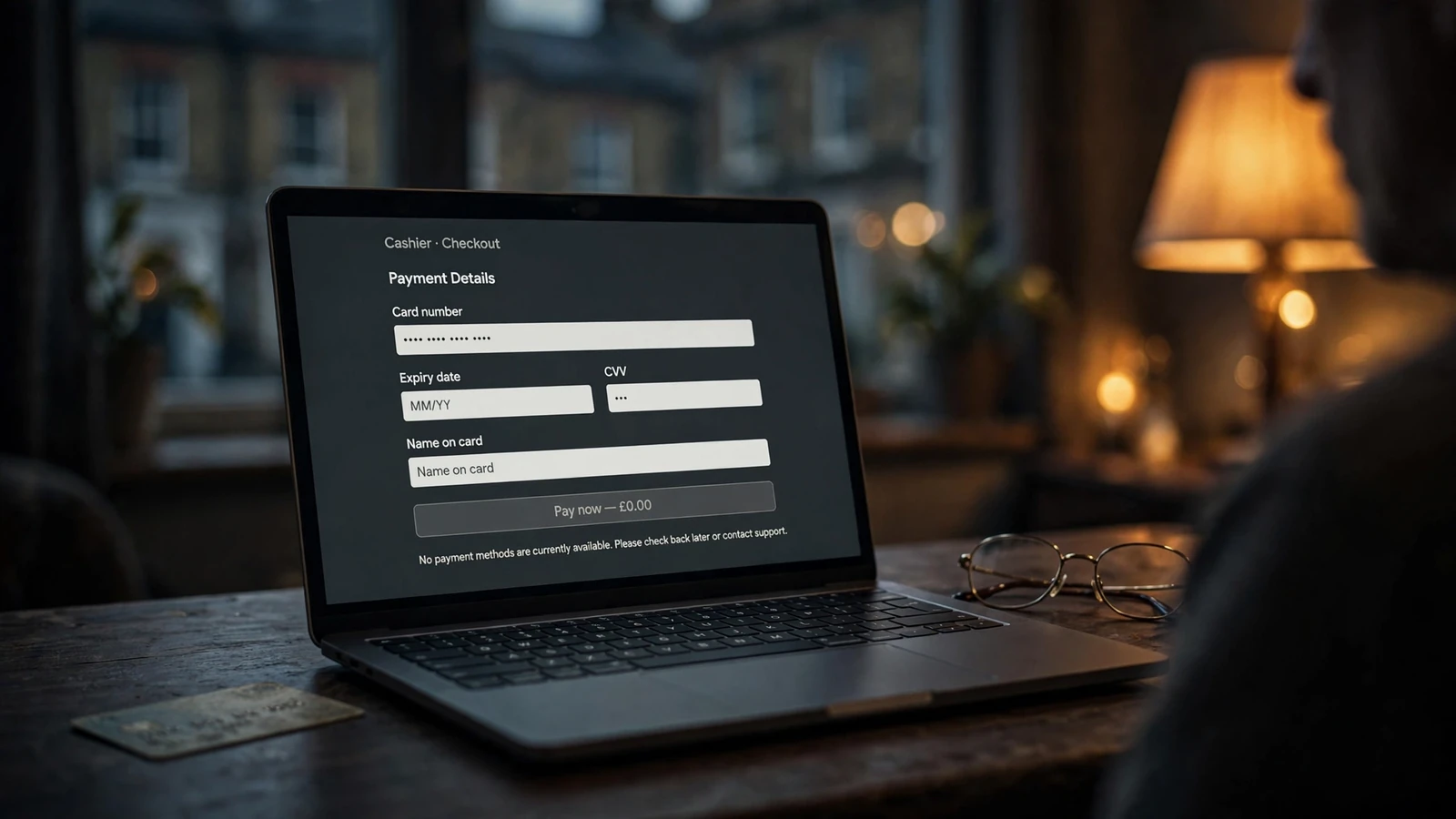
When I check an online casino on an iPad, I start with the cashier, not the lobby. It is where you find out whether the account can be funded on terms you understand and where the important money controls sit. A mobile-friendly page is no use if the available deposit route, fees or limits are unclear.
Open the cashier while signed in and look at the details shown for your account. A specialist review advises checking the minimum deposit, maximum transaction value, fees and financial-limit controls before paying in. Those details can change, so treat the live cashier as the place to confirm them rather than relying on an old review or a remembered figure. If a detail is missing, pause and look for the operator’s current terms or ask its support team before proceeding.
Set a limit before the first deposit
If you are a new customer, take the financial-limit prompt seriously. Remote operators must prompt you to consider a limit before you make your first deposit. Use that moment to decide what amount you can afford to lose, rather than treating the first payment as a harmless test. A limit is a boundary for your account, not a prediction of what you will spend.
Check how the account lets you set that limit and whether the control is easy to find on the iPad screen. The facility must remain accessible after registration and after your first deposit; it should not disappear once the initial prompt is gone. I would make sure I can return to the account controls without having to hunt through unrelated menus. Small screens make buried settings especially easy to miss.
Read the label carefully. A financial limit should be clear about what it controls and how the account applies it. Do not assume that a deposit setting and a broader spending control are interchangeable just because they appear close together. If the wording leaves you unsure what happens when you reach the limit, get clarification before you fund the account.
Jokabet Payments – UK Deposits, Withdrawals and GBP Context
Read the payment details, not just the logos
A row of familiar payment logos is only a starting point. Tap through to the cashier’s actual instructions and confirm which options are enabled for your account. A specialist review may describe methods it saw at the time it was written, but availability can change. The current account page is more useful than a static list.
For British players, one point is settled: remote gambling licensees cannot accept credit-card payments for gambling, including when a payment is routed through a money service business. Do not treat a credit card as an acceptable way to fund play, whether it is shown beside another payment service or stored in a digital wallet. Use only a payment option the operator currently presents for gambling deposits and that you are entitled to use.
Before confirming any payment, check the amount entered and the cashier’s stated charges. Look for the transaction minimum and maximum as well as any fee. If those terms are not visible until late in the process, do not press through on the assumption that the final screen will match what you expected. A quick pause beats having to untangle a payment you did not mean to make.
On an iPad, also take a moment to check that the page has not left you with a hidden panel or clipped text. Scroll through the payment details and account settings rather than relying on the first screenful. You are checking the information, not testing a particular app or game. The cashier should let you read what you are agreeing to before money moves.
Keep control after the first payment
Once the account is set up, return to the financial-limit controls and confirm they are still available. The ability to set a limit before the first deposit matters; continued access matters just as much. If you cannot find the controls later, check the account area and the operator’s help pages, then contact support rather than assuming the option has been removed or that your earlier choice is still appropriate.
I would also avoid making a deposit simply because a payment button is prominent. First check the account limit, the amount you intend to pay and the terms displayed for that route. If anything is unclear, stop and resolve it before confirming. That is not fussiness. It is basic housekeeping.
Do
- Check minimum deposits and fees in the live cashier
- Set a financial limit before your first deposit
- Confirm that account controls remain accessible
Don’t
- Rely on old reviews for current payment terms
- Treat the first payment as a harmless test
- Assume deposit and spending controls are interchangeable
An iPad can make an online casino easy to reach, but the device does not change the cashier’s terms or the need to manage an account carefully. Start with the payment information and the controls you can keep using afterwards. Then decide whether you are comfortable proceeding.
What to Check Before You Choose an iPad Casino
An iPad casino can look ready to use before you have established whether its payment setup suits you. I start with the cashier and the account terms, not with a deposit button. The details there determine what you can pay with, what you may need to do before a withdrawal, and whether the route you choose is practical for your account.
Open the cashier while signed in, if the site allows it, and check which methods are actually presented to you. Do not rely on an old review, a payment logo in a footer or a list copied from another page. Availability can differ between operators and accounts, and the live cashier is the place to confirm what is offered at that moment. If a method is not shown there, do not assume it will appear later.
Then read the payment terms alongside the cashier. Look for the rules that apply to deposits and withdrawals, including any requirements about using a particular route, confirming account details or completing identity checks. A method that accepts a deposit is not automatically a method you can use to receive money back. A specialist review recommends checking whether your selected deposit method is also available for withdrawals; treat that as a point to verify with the operator, rather than a rule that applies everywhere.
Casinos That Accept Boku in the UK: What to Check
I would make that check before choosing a method, not after a balance has built up. Ask yourself where a withdrawal could go if the deposit route is not supported for payouts. The operator may list another available route, but you need to confirm that it is enabled for your account and that its requirements fit your details. A payment option that sounds familiar is not enough; the account’s actual payout choices matter.
Read the relevant terms in full enough to understand what happens when a payment is pending, declined or sent for review. Check whether the operator describes any extra account steps before a withdrawal can be processed. If the wording is unclear, use the operator’s own support channel to ask for an explanation and keep the answer. A quick clarification now is better than guessing later.
For a UK-facing casino, also check that the operator holds a current UK Gambling Commission licence. Remote operators serving customers in Great Britain must hold the relevant licence, wherever the operator is based. This is not a substitute for reading the cashier rules: it is a separate check on whether the casino is operating within the local framework. Be wary of treating a polished site or a familiar payment symbol as proof of either licensing or payment access.
Credit Card Payments
UK Gambling Commission rules prohibit remote gambling licensees from accepting credit-card payments for gambling, including those routed through money service businesses.
A UK casino cashier should not offer credit-card payments for gambling. Gambling Commission rules prevent remote gambling licensees from accepting them, including where a payment is routed through a money service business. If you see a route that appears to involve a credit card, pause and confirm what it is before proceeding. Do not try to route credit-card funds through another service to fund gambling.
Before you deposit, check the payout route available to your account, any identity checks still outstanding, and the operator’s current terms. A specialist review highlights these as checks to make before paying in; they are useful because they connect the cashier to the account you will actually use. If identity information is incomplete or the account details do not match the payment route, resolve that first rather than assuming it can be sorted out when you ask to withdraw.
Keep a note of what you checked: the method shown, the withdrawal options, and the relevant wording in the terms. Those details can change, so revisit the live cashier if you return later or if the operator updates its conditions. An older page may still describe a payment method that is no longer available, or omit one that has since been added.
When comparing online casinos for an iPad, I would not call one the best choice on the strength of a payment logo or a promise of easy cash-outs. The useful comparison is narrower: does the current cashier show a route you are willing to use, do the terms explain how withdrawals work, and can your account meet the stated checks? If any answer is vague, hold off and ask the operator before committing. Check first.
Casinos That Accept USDC in the UK: What to Check
Slots and Casino Games on iPad: What This Guide Can Confirm
If you are looking for slots or casino games to play on an iPad, keep two questions separate: whether a casino offers a game, and whether that game works on your device. A title appearing in a casino’s catalogue does not, by itself, answer the second question. I would not choose a game on the assumption that it will run simply because the casino’s website opens on an iPad.
That distinction matters whether you prefer slots, table games or another casino format. A casino may describe its overall range without confirming how each game behaves on a particular device. The practical check is to look at the game’s own information or ask the operator whether it is supported on your iPad. Do that before treating a specific title as an option.
A catalogue is not a compatibility promise
The phrase “casino games for iPad” can mean several different things: games listed by a casino, games that load through a browser, or games offered through a separate app. Those are not interchangeable claims. A casino having a mobile-facing site does not prove that every item in its catalogue works there, and the word “app” in a description does not settle which games the app contains.
I’d be cautious about any page that presents a confident list of the best iPad slots without explaining how it checked compatibility. A ranking can sound useful while skipping the only point you need to settle: can you open and play the particular game on your device at that casino? Look for a direct statement from the operator about that game and device, rather than relying on a broad label or a general claim about mobile play.
A casino’s mobile-facing site or a general "app" description does not guarantee that every specific game in its catalogue is compatible with an iPad.
The same care applies to games described as “tablet-friendly” or “mobile compatible”. Those phrases may refer to the site overall, not every game within it. If the operator does not make the distinction clear, ask before depositing or spending time setting up an account. No guesswork required.
What to check for an individual game
Start from the casino’s own game listing, then check the details attached to the title you want. Look for an explicit note about iPad or tablet support. If the listing only says that the casino works on mobile, that is not the same as confirmation for each game.
If you cannot find a clear answer, contact the operator and name the game and device. Keep the question narrow: ask whether that title can be played on your iPad, and whether you need to access it through the casino’s website or an app. The answer is more useful than a general assurance that the casino is “mobile ready”. If you receive a vague reply, treat compatibility as unconfirmed.
There is no need to make a deposit just to find out whether a game is listed. Check the operator’s public information first. If a free-play option is presented, read what the casino says about it rather than assuming it is available for every title. Do not confuse a promotional description with proof that a game will load on your device.
These checks are especially useful when a casino uses different labels across its site. A lobby may group games under broad headings, while a support page discusses device access separately. Read the specific game entry and the device guidance together. If they do not match, ask the operator which statement applies.
Casinos That Accept Monzo in the UK: Payment Checks
iPad access does not change the rules
The device does not change the legal conditions for real-money online gambling in Great Britain. A casino serving British customers must hold a current UK Gambling Commission licence, and online gambling is legal in the UK for adults aged eighteen and over when the operator has that licence. Check the operator’s status rather than relying on how polished its site looks.
There are also rules that apply to online slots in Britain, not just to a particular tablet. Autoplay is banned, and a slot spin must last at least two and a half seconds. Those requirements do not tell you whether a particular slot works on an iPad; they are simply part of the conditions governing online slot play in this market.
The maximum stake per game cycle is five pounds for customers aged twenty-five and over. For customers aged eighteen to twenty-four, it is two pounds. These are market rules for online slots, not recommendations about what to stake. An iPad does not create an exception.
That is one reason to avoid treating a game description as a complete guide to how play works. Before playing, read the operator’s own information about the game and the rules shown within it. If an interface appears to offer a feature that conflicts with British requirements, do not assume the device has made it permissible. Check with the operator.
Market Rules
- Online gambling is legal in the UK for adults aged 18 and over with a UKGC licence
- Autoplay is banned and slot spins must last at least 2.5 seconds
- Maximum stakes per game cycle are £5 for ages 25+ and £2 for ages 18-24
Be precise about what you are choosing
When comparing slots, it is easy to focus on a title, a theme or a short description. For iPad use, add a separate compatibility check. A game can sound appealing and still be the wrong choice if its support on your device has not been confirmed. I would rather spend a moment checking the exact listing than rely on a casino-wide slogan.
Do not read a general list of “best games” as a tested iPad catalogue unless it explains which titles were checked and how. Likewise, a list of games on a casino site tells you what the operator displays, not necessarily what you can access on your own device. The operator’s current game information is the sensible place to verify a specific title.
If a casino’s information does not answer your question, that is a reason to pause, not to fill in the gap yourself. You can ask support for a direct confirmation or choose not to proceed with that title. Compatibility is a simple point to clarify before you commit; it should not depend on hopeful reading of a broad claim.
For a particular slot or other casino game, the honest answer is the one tied to that title and that device. Check it with the operator, make sure you understand the applicable rules, and do not mistake a catalogue entry for a promise that the game will run on your iPad.
Recommended online casinos
- ZombillionBonus: Welcome Pack 250% up to £4000 + 200 FS · Payout speed: 1-3 business days
- NightLuckBonus: Welcome Pack + 805% Up To 6400€ + 280 FS · Payout speed: 1-3 business days
- EvoSpinBonus: 125% up to €2500 + 125 Free Spins · Payout speed: 1-3 business days
- NightWinBonus: £900 + 400 free spins · Payout speed: 1-3 business days
- Revery PlayBonus: 100% up to€1,000+ 100 FS · Payout speed: 1-3 business days
- DieselwinBonus: Welcome Pack 250% up to £4000 + 200 FS · Payout speed: 1-3 business days
Bonuses, Deposits and the Checks That Come First
When you compare casino offers on an iPad, keep the deposit and the promotion in the same frame. A bonus can look appealing on its own, but what matters is whether the deposit method you plan to use qualifies and what the offer’s terms require. I would read those conditions before paying in, not after a bonus has appeared in the account.
Casinos That Accept UKash in the UK: How to Check
The screen you use does not answer those questions. An offer displayed on an iPad still needs to be checked against the casino’s current terms: look for any conditions attached to the promotion, whether a particular deposit method is excluded, and whether you need to take an action to claim it. Do not assume that seeing an offer means every payment route qualifies. The wording in the terms is what counts.
Set a limit before your first deposit
If you are a new remote customer, the casino must prompt you to consider setting a financial limit before you make your first deposit. Take a moment to decide what amount you can afford to lose, and set a limit that reflects that decision before depositing. It is a useful pause, not a box to click through on the way to a promotion.
That control should not disappear once your account is open: account-level financial-limit facilities must remain accessible afterwards. If you later want to review or change your limit, find the account controls rather than relying on a bonus page or a remembered setting. The point is to keep your spending decision in your hands, whether or not an offer is running.
I would treat the limit and the bonus as separate decisions. A promotion should not determine how much you deposit, and a displayed bonus should not be a reason to raise a limit you chose for yourself. If the offer only seems worthwhile when you spend more than you intended, leave it. A bonus is optional; your limit is yours.
Deposit Process
Step 1: Set Limit
Decide what amount you can afford to lose and set your financial limit before depositing.
Step 2: Review Promotion
Read the promotion terms to see if your intended deposit method qualifies.
Step 3: Confirm Method
Check the live cashier to verify the payment route is available and understand the terms.
Payforit and promotional eligibility
Payforit is one deposit route where the promotion terms deserve a close look. One specialist review reports that most UK casinos exclude Payforit deposits from welcome bonuses and other promotional offers. That is a reported pattern, not a rule for every operator, so check the specific casino’s current terms before choosing this route.
Look for the payment method’s name in the promotion’s exclusions, and check whether the terms distinguish between an initial deposit and later deposits. If the wording is unclear, do not assume the deposit will qualify simply because the offer is visible. Confirm the position with the casino before depositing. If Payforit is excluded, decide whether the payment method or the promotion matters more to you; do not make a deposit on the expectation that the bonus will be added later.
The same care applies to an iPad casino advertising a welcome offer. The device tells you nothing about eligibility. Read the offer conditions on the operator’s site, and make sure the deposit method you intend to use is covered. If there is no clear answer, pause before paying in. Better a missed promotion than a deposit made on a guess.
Make the choice in the right order
A sensible order is simple: decide your limit first, read the promotion terms, then check whether your intended deposit method qualifies. Keep the offer conditions available while you make the decision, rather than relying on a headline or a banner. If you are comparing several casinos, use the same checks for each one; a larger-looking offer is not necessarily the one whose terms suit you.
Casinos That Accept E-Checks in the UK: What to Know
For a search such as “best iPad casino”, the useful comparison is not just which site shows a welcome offer on a tablet. It is whether you can set your financial limit before your first deposit, keep access to that control afterwards, and understand how the chosen payment route affects the promotion. That is less flashy than a bonus banner. More useful, too.
Casino Apps on iPad and Pay-by-Mobile
An iPad can make a casino feel phone-like, but that does not mean every payment option intended for mobile use will fit your setup. Payforit is generally reserved for mobile players. If you are looking at a casino app on an iPad, treat that as a reason to check the cashier, not as proof that Payforit will appear or work for your account.
The distinction matters because “mobile” can mean a phone, a tablet, or a site adjusted to a smaller screen. A payment service may be intended for mobile use without being available on every device or through every app. I would check the payment options shown after signing in, using the device and account you plan to play with. App-store descriptions and a casino’s general mobile claims do not settle what its cashier currently offers.
There is a more important catch if you are considering Payforit: it cannot be used to withdraw casino funds. A deposit made that way does not create a matching route for getting money back. Before paying in, make sure you understand which withdrawal option your account can use instead. That is a separate part of the payment decision, not a detail to leave until you want to cash out.
Attention: Payforit is a deposit-only route and cannot be used to withdraw casino funds.
This also changes how you should compare casino apps for iPad. A polished app, if the operator offers one, tells you nothing by itself about Payforit support or how withdrawals are handled. I would not choose an app on the assumption that a phone-based payment option will be there. Check the account cashier directly, and read the operator’s current terms for the route that applies to your account.
If Payforit is not shown, do not assume it is hidden in an app setting or available through another screen. The cashier is the useful check. If it is shown, keep in mind that it is a deposit option rather than a way to receive casino funds. Small distinction, big difference.
That is the practical answer for anyone weighing an iPad casino app against pay-by-mobile: separate the device question from the payment question. You can use an iPad to access an online casino without that establishing which payment services are supported. And if you are considering Payforit, plan for a different withdrawal route from the outset. No app label can replace that check.
Pay by phone casinos UK: how deposits work
Real-Money Play: Deposits and Payout Routes
Using an iPad for real-money casino play does not change the checks that matter most: the account must be eligible to gamble, and you need to know how a withdrawal could reach you before you put money in.
A UK-licensed operator must verify your age before it allows you to deposit. Online gambling is legal in the UK for adults aged 18 and over when the operator holds a UK Gambling Commission licence. So, before treating a casino as an option, check that it is licensed to serve customers here and that the account details you provide are accurate. Age and identity checks are part of the account process, not an afterthought to deal with only when you want to cash out.
I would also check whether any identity requests are still outstanding. If the operator needs documents or further information, an unresolved check can affect the withdrawal process. Look in your account messages and the operator’s current terms, and make sure the information on the account matches the details attached to the payout route you intend to use.
Do not assume that the method you use to deposit will also be offered for withdrawals. A specialist review advises players to check the payout route available to their own account, any outstanding identity checks and the operator’s current terms before depositing. That is sound account planning, but the cashier and your account remain the places to confirm what applies now.
A specialist review lists debit card, bank transfer, PayPal and e-wallets such as Skrill or Neteller among possible withdrawal routes at UK-licensed casinos. Treat that as a guide to the kinds of routes you may encounter, not a promise that a particular operator will offer them all. The available options can depend on the casino and your account. Check the live cashier, then confirm that the route works with your account holder details and currency.
Before Real-Money Play
- Verify the operator holds a current UKGC licence
- Complete all outstanding identity and age checks
- Confirm the payout route available for your account
- Review current terms for withdrawal requirements
This is especially useful if you are comparing an iPad casino for real money with another site. A polished mobile page does not tell you whether your account can use a particular payout method, whether an identity check is pending or what the current terms say. Those details sit behind the account and cashier screens.
Before your first deposit, take a moment to confirm eligibility, review the operator’s terms and identify the payout route available to you. If anything is unclear, ask the operator before funding the account. A small check now beats a surprise later.
Real-Money Slots on iPad: Payment Limits and Fees
When you play real-money slots on an iPad, the screen does not determine what a deposit costs or how much you can pay in one transaction. Those terms come from the payment method and the casino’s live cashier, so check them there rather than relying on an old comparison or a figure copied elsewhere.
Before confirming a deposit, look for the minimum and maximum allowed, any fee, and whether the amount shown is what will actually be charged. The same applies if you later make a withdrawal: fees, limits and processing times can differ by method. A specialist payment guide notes that these details are set by the current cashier and selected route; they are not fixed across casinos. Small print, but it matters.
Payforit has a firm transaction ceiling: the Phone-paid Services Authority sets the cap at £30 per transaction. Treat that as a limit, not an invitation to split a larger amount into multiple payments. If the sum you intend to spend does not fit within the permitted transaction, choose whether to proceed on that basis or leave it. Do not try to get around the cap.
This is especially worth checking if you are comparing real-money play on an iPad with other ways to pay. A payment route can look straightforward while still carrying a fee or a lower maximum than you expected. Your phone tariff and the casino cashier may also affect the final cost, so read the displayed terms before you authorise anything.
I would not deposit on the strength of a fee or limit quoted in an old review. Open the cashier on the account you plan to use, confirm the current figures, and make sure the payment amount and any charge are clear before you submit it. That is the useful check; the iPad itself cannot tell you what the transaction will cost.
Pay-by-Mobile Deposits: How Boku and Payforit Work
Free Slots on iPad: Keep the Claims in Check
Live Casino and Blackjack on iPad
If you want a live dealer rather than a computer-generated table, treat iPad compatibility as something to confirm, not assume. A casino’s general mobile page does not establish that its live tables work on an iPad, and a blackjack listing alone does not tell you whether it is a live-dealer game. Check the operator’s current information for the specific format and device before you register or deposit.
I would also separate three questions: does the casino offer live play, does it offer live blackjack, and can you access that option on your iPad? Those details are not interchangeable. A site may describe its mobile service broadly without confirming every game format on every device. If the information is unclear, ask the operator directly rather than relying on a page that only names a game category.
For real-money play, use an operator with a current UKGC licence. Remote operators serving Great Britain must hold the relevant licence, and customers must be at least 18. That is the baseline, not a guarantee about any particular live table or iPad feature.
There is no need to infer compatibility from the screen size or from another player’s experience. Check the operator’s own current product details, and make sure the information refers to iPad use rather than mobile play in general. If live blackjack is the main reason you are considering a casino, confirm that exact combination first.
Small distinction, big difference.
Do online casino bonuses work with Payforit deposits?
Usually not: most UK casinos exclude Payforit deposits from welcome bonuses and other promotions.
Do UK casinos offer welcome bonuses for Payforit deposits?
Most UK casinos exclude Payforit deposits from welcome bonuses, although you should check the promotion’s terms before depositing.
What is the maximum amount I can deposit via Payforit?
Payforit deposits are capped at £30 per transaction.
Can I withdraw casino winnings to my phone bill with Payforit?
No. Payforit can be used for deposits, but not to withdraw casino funds.
Written by the editors at Jokabet.